Prerequisites for Forensics and Steganography
In most CTF competitions, forensics and steganography are closely intertwined, and the knowledge required for both complements each other. Therefore, we will introduce both together here.
Any challenge that requires examining a static data file to obtain hidden information can be considered a steganography/forensics challenge (unless it is purely about cryptography). Some low-scoring steganography/forensics challenges are often combined with classical cryptography, while higher-scoring challenges are usually combined with more complex modern cryptography knowledge, which well reflects the characteristics of Misc challenges.
Prerequisites
-
Familiarity with common encodings
Being able to decode various encodings that appear in files, and having a certain sensitivity to special encodings (Base64, hexadecimal, binary, etc.), converting them to ultimately obtain the flag.
-
Ability to manipulate binary data using scripting languages (Python, etc.)
- Knowledge of common file formats, especially various file headers, protocols, structures, etc.
- Proficiency with common tools
Python Binary Data Operations
The struct Module
Sometimes you need to process binary data with Python, for example, when reading/writing files or performing socket operations. In such cases, you can use Python's struct module.
The three most important functions in the struct module are pack(), unpack(), and calcsize():
pack(fmt, v1, v2, ...)packs data into a string (actually a byte stream similar to a C struct) according to the given format (fmt)unpack(fmt, string)parses the byte stream string according to the given format (fmt) and returns the parsed tuplecalcsize(fmt)calculates how many bytes of memory the given format (fmt) occupies
The packing format fmt determines how variables are packed into a byte stream and contains a series of format strings. We won't list the meanings of different format strings here; for detailed information, please refer to Python Doc.
>>> import struct
>>> struct.pack('>I',16)
'\x00\x00\x00\x10'
The first argument of pack is the processing instruction. '>I' means: > indicates the byte order is Big-Endian (i.e., network order), and I represents a 4-byte unsigned integer.
The number of subsequent arguments must match the processing instruction.
Reading the first 30 bytes of a BMP file, the file header structure is as follows in order:
- Two bytes:
BMindicates a Windows bitmap,BAindicates an OS/2 bitmap - One 4-byte integer: bitmap size
- One 4-byte integer: reserved bits, always 0
- One 4-byte integer: offset of the actual image
- One 4-byte integer: number of bytes in the Header
- One 4-byte integer: image width
- One 4-byte integer: image height
- One 2-byte integer: always 1
- One 2-byte integer: number of colors
>>> import struct
>>> bmp = '\x42\x4d\x38\x8c\x0a\x00\x00\x00\x00\x00\x36\x00\x00\x00\x28\x00\x00\x00\x80\x02\x00\x00\x68\x01\x00\x00\x01\x00\x18\x00'
>>> struct.unpack('<ccIIIIIIHH',bmp)
('B', 'M', 691256, 0, 54, 40, 640, 360, 1, 24)
bytearray
Reading a file as a binary array:
data = bytearray(open('challenge.png', 'rb').read())
A bytearray is a mutable version of bytes:
data[0] = '\x89'
Common Tools
010 Editor
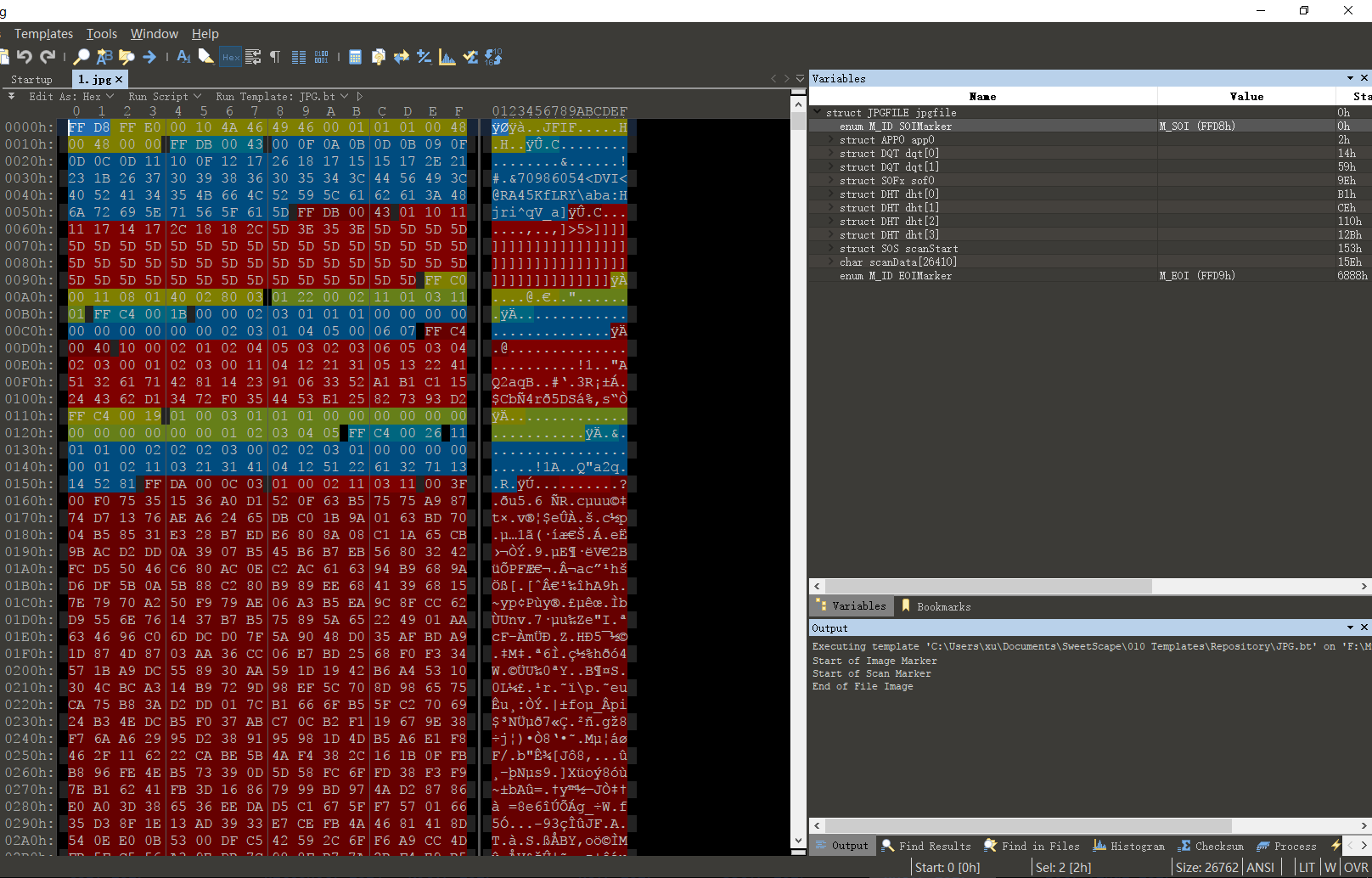
SweetScape 010 Editor is a brand new hex file editor. Unlike traditional hex editors, it can use "templates" to parse binary files, allowing you to understand and edit them. It can also be used to compare any visible binary files.
Using its template feature, you can very easily observe the specific internal structure of a file and quickly modify content accordingly.
file Command
The file command identifies a file's type based on its file header (magic bytes).
root in ~/Desktop/tmp λ file flag
flag: PNG image data, 450 x 450, 8-bit grayscale, non-interlaced
strings Command
Prints printable characters in a file. It is often used to discover hints or special encoded information in a file, and is frequently used to find breakthroughs in challenges.
-
Can be combined with the
grepcommand to search for specific informationstrings test|grep -i XXCTF -
Can also be used with the
-oparameter to get ASCII character offsetsroot in ~/Desktop/tmp λ strings -o flag|head 14 IHDR 45 gAMA 64 cHRM 141 bKGD 157 tIME 202 IDATx 223 NFdVK3 361 |;*- 410 Ge%<W 431 5duX@%
binwalk Command
binwalk is originally a firmware analysis tool, commonly used in competitions to detect cases where multiple files are concatenated together. It identifies other files embedded within a file based on file headers, though there may sometimes be false positives (especially with Pcap traffic capture files, etc.).
root in ~/Desktop/tmp λ binwalk flag

DECIMAL       HEXADECIMAL     DESCRIPTION
--------------------------------------------------------------------------------
0             0x0             PNG image, 450 x 450, 8-bit grayscale, non-interlaced
134           0x86            Zlib compressed data, best compression
25683         0x6453          Zip archive data, at least v2.0 to extract, compressed size: 675, uncompressed size: 1159, name: readme.txt
26398         0x671E          Zip archive data, at least v2.0 to extract, compressed size: 430849, uncompressed size: 1027984, name: trid
457387        0x6FAAB         End of Zip archive
Combined with the -e parameter, automatic extraction can be performed.
You can also use the dd command for manual extraction.
root in ~/Desktop/tmp λ dd if=flag of=1.zip bs=1 skip=25683
431726+0 records in
431726+0 records out
431726 bytes (432 kB, 422 KiB) copied, 0.900973 s, 479 kB/s