Chromium
Overview
Chromium is an open-source browser project under The Chromium Projects, licensed under multiple licenses including BSD 3-clause. It is primarily written in C++, and the source code can be obtained from https://chromium.googlesource.com/chromium/src/+/HEAD/docs/get_the_code.md.
Google Chrome is a browser developed by Google based on Chromium. Google's developers have added proprietary Google code (Google account, tab sync, media decoders, etc.), making it a proprietary Google project.
Currently, the vast majority of actively maintained browsers in the world are developed based on Chromium (using Chromium as their engine), including Microsoft Edge which abandoned its own browser engine. Only Firefox and Safari still persist in using other engines.
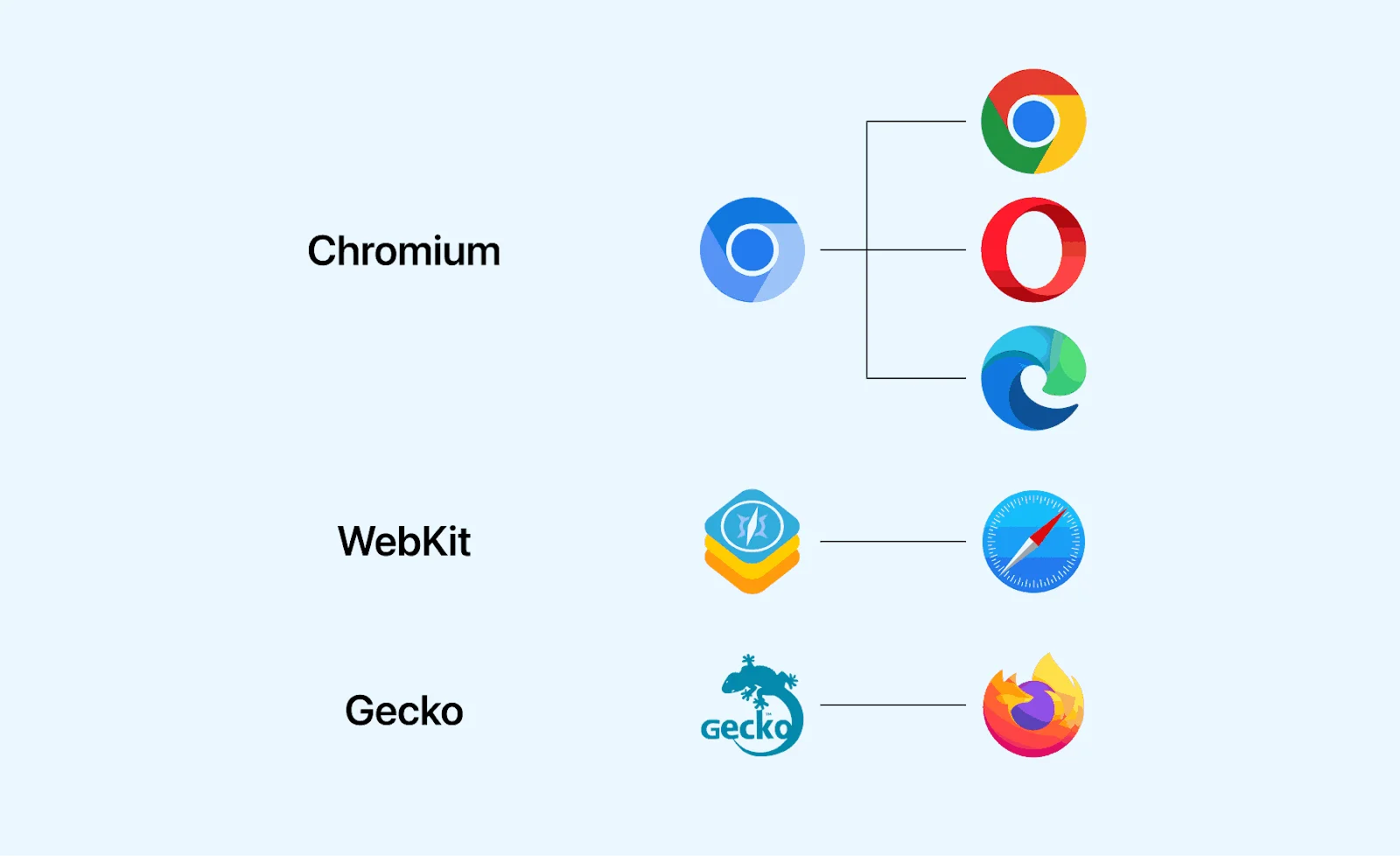
——But in reality, a browser is not something that can be summarized in just a few words. Chromium itself is a complete browser project, and its rendering engine is Blink, which is also what Microsoft primarily relies on from Chromium (because their own EdgeHTML engine, derived from the IE-era Trident engine, was not quite up to par). Correspondingly, Safari's rendering engine is the open-source WebKit, and Firefox's rendering engine is the open-source Gecko. However, beyond that, Microsoft's JavaScript engine is the self-developed open-source Chakra rather than Chromium's V8. Similarly, Safari's JS engine is its own Nitro, and Firefox's JS engine is the self-developed open-source SpiderMonkey......
This is also why when we talk about self-developed browsers, we usually only recognize 4. The various other so-called "self-developed" browsers that are just reskinned versions of Chromium have neither their own layout engine, nor their own JS engine, nor their own network stack... In short, none of the core components are self-developed, so one might wonder...
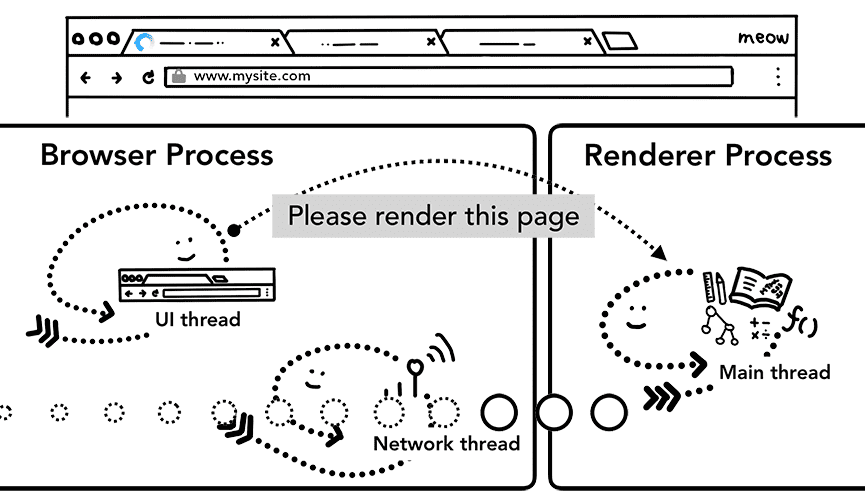
So how does a browser work? Some people might think "isn't it just receiving an HTML file, parsing it, and drawing it on the screen?" — Only speaking in terms of the rendering engine, that does seem to be a fair summary? The rendering engine consumes the HTML, CSS, JS files sent by the server, parses them, and hands them to the GPU to draw on the screen:
Expanding a bit, it looks like this (the HTTP Client is the browser):
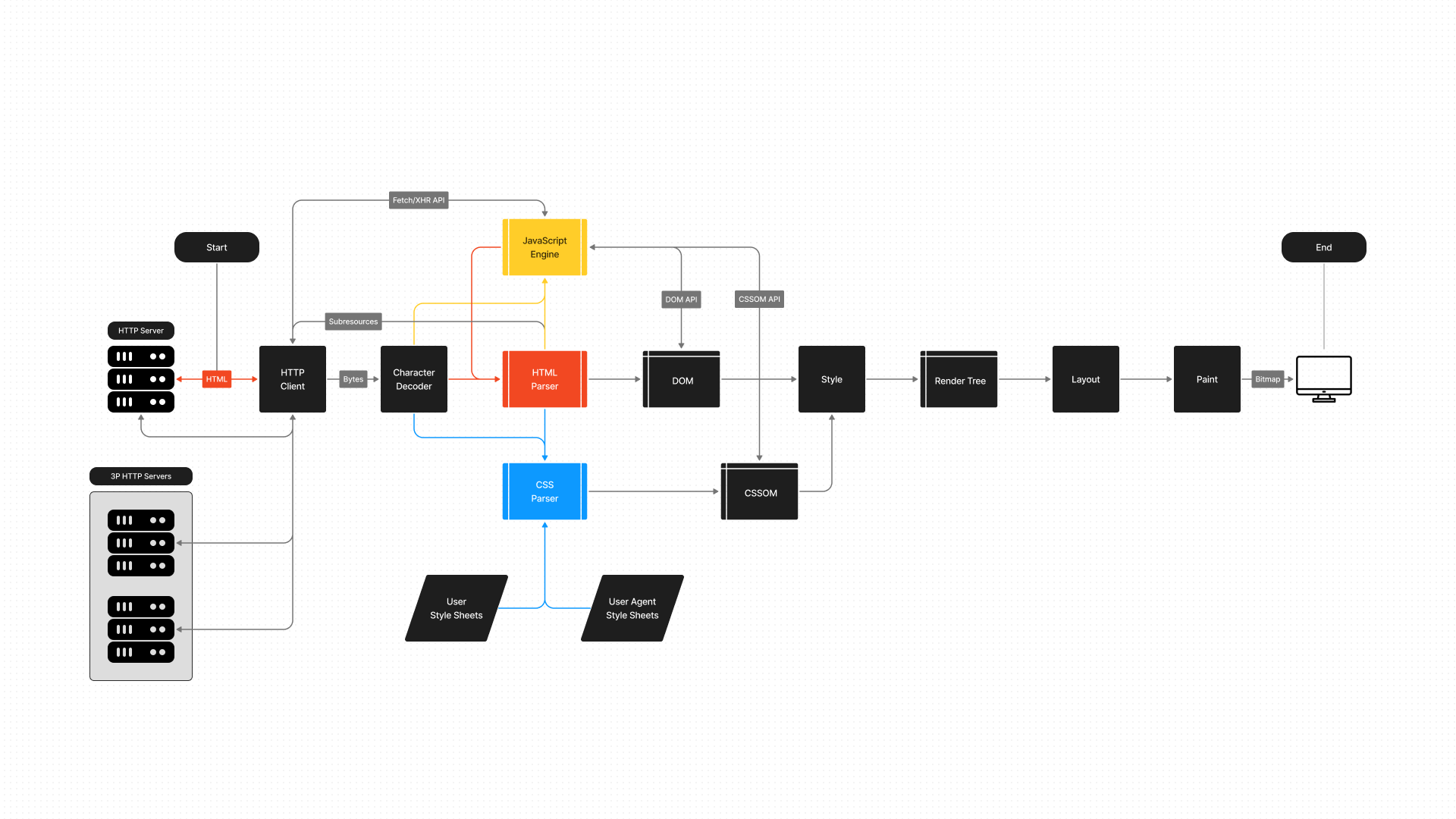
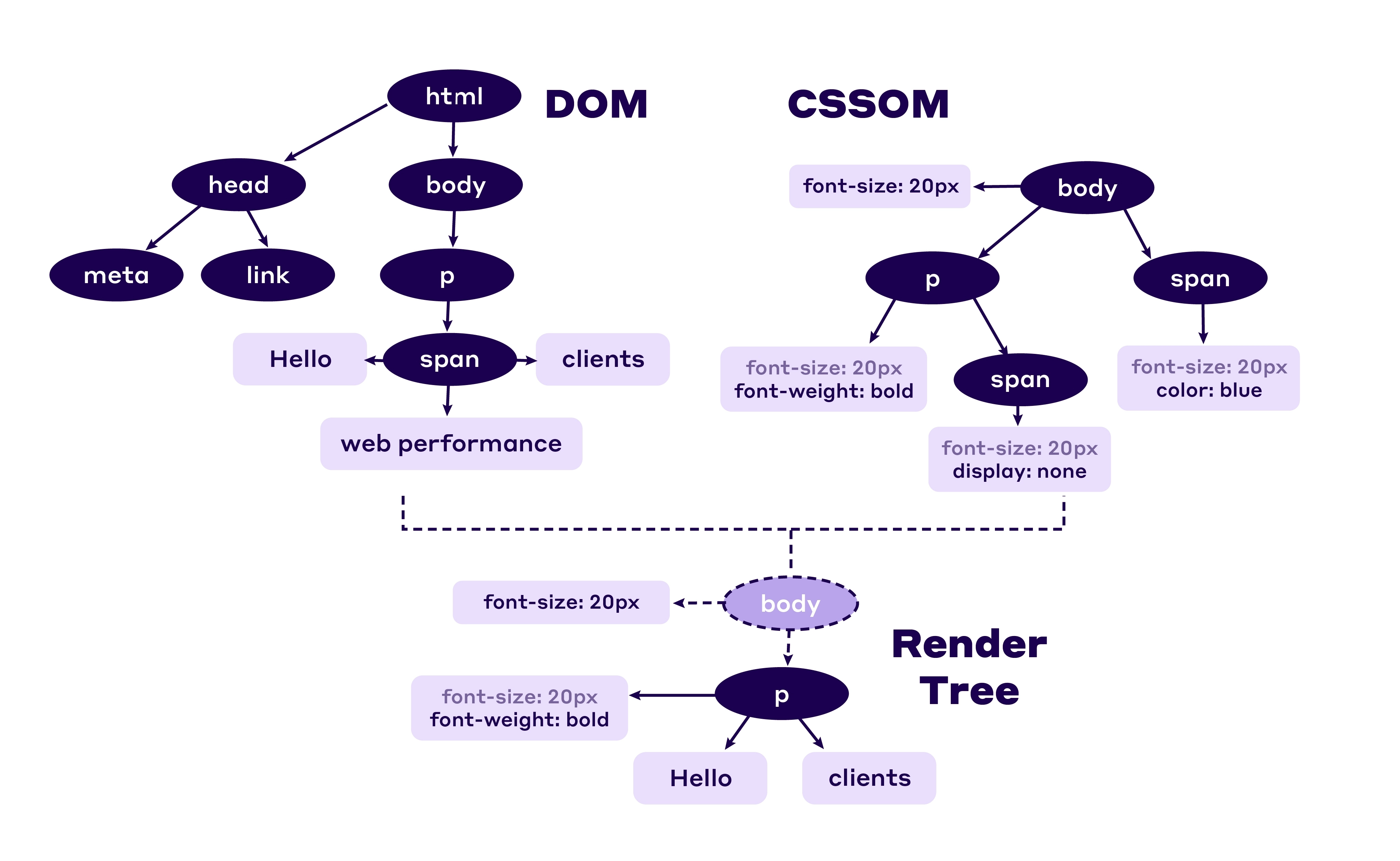
Parsing HTML produces a DOM Tree representing the content, parsing CSS produces a CSSOM Tree representing the layout, and combining them gives a Render Tree containing specific rendering information. Add the JS Engine for dynamic content adjustment and various behind-the-scenes work, and the prototype of a modern browser seems to take shape:
Although it may seem like even an undergraduate just learning compiler principles could hand-craft a simple parsing engine using recursive descent, in reality, implementing modern Web standards with sufficiently high performance requires far more work than most people imagine. Whether it's the network protocol stack behind the browser, memory management and multi-process architecture, or the implementation details of the rendering engine and JS engine — any small piece taken individually could fill many papers. Theoretically, no single developer could independently explain all the parts clearly, and the focus of this article is not on how the entire browser works, so we won't go into depth here :)
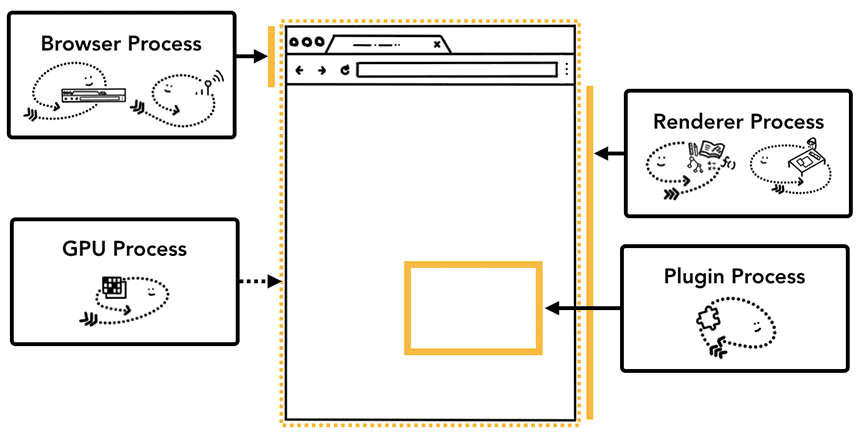
Chromium Render Process
The runtime architecture of Chromium is roughly as shown in the diagram below (communication between these processes is typically done through Mojo, an IPC Engine):
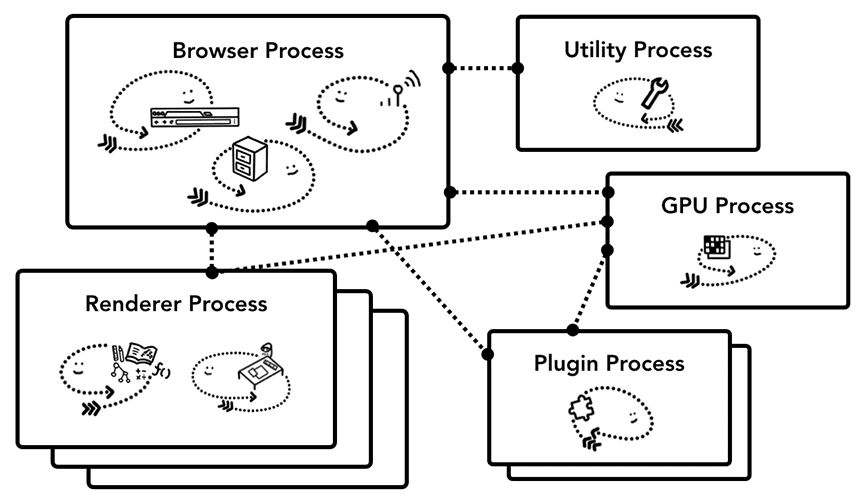
The Browser Process is responsible for network request handling, storage management, UI, etc. (the left, middle, and right threads in the diagram above). After completing the reception of network request content, it passes the page data to the Render Process for rendering:
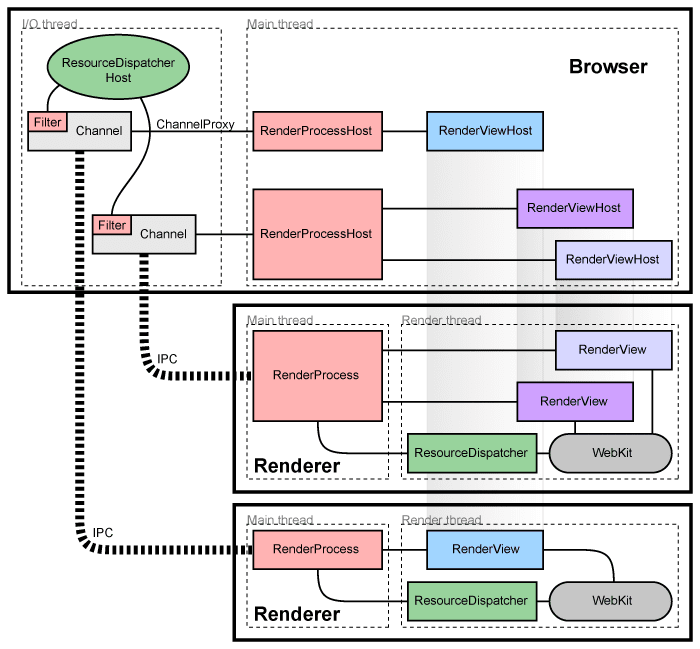
The Render Process first parses the HTML, CSS, and JavaScript content. As mentioned earlier, parsing HTML ultimately produces a DOM Tree, and JavaScript at this point blocks HTML parsing and is parsed and executed first — this is because JS code may modify the document content (e.g., using document.write()).
If your inline JS code in HTML does not use
document.write(), you can use the async or defer attributes on the<script>tag to run JS asynchronously without blocking the parsing process.
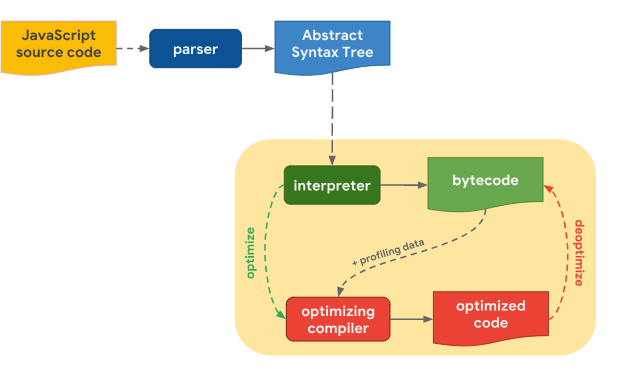
Under construction.
Reference
What Are Rendering Engines: An In-Depth Guide
RenderingNG deep-dive: BlinkNG
How Does the Browser Render HTML?
Inside look at modern web browser (part 1)
JavaScript engine fundamentals: Shapes and Inline Caches
Winty's blog - Modern Browser Architecture Overview
Firing up the Ignition interpreter
Ignition: Jump-starting an Interpreter for V8