Direct OEP Method
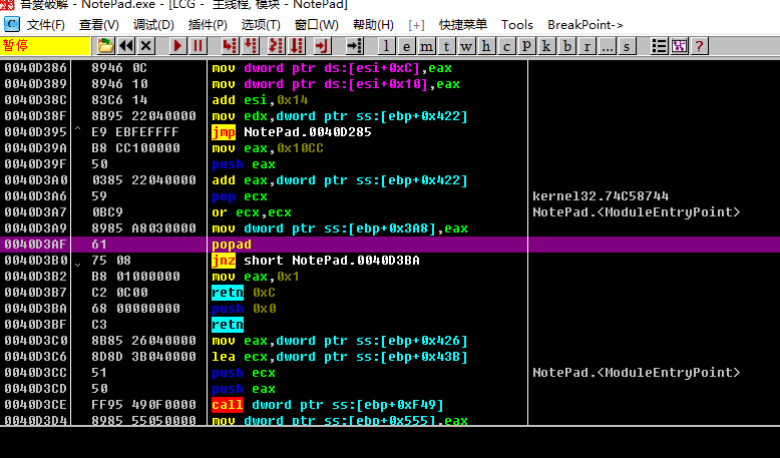
The so-called direct OEP unpacking method involves finding the assembly instruction closest to the OEP based on the characteristics of the packer, then setting an int3 breakpoint so that the program can be dumped when it reaches the OEP.
For example, some compression packers often have a popad instruction very close to the OEP or a large jmp. Therefore, by using OllyDbg's search function, you can search for the packer's characteristic assembly code to reach the OEP in a single breakpoint.
Key Points
- Press
Ctrl+Fto search forpopad - Press
Ctrl+Lto jump to the next match - Find the match, confirm it is the point where the packer has finished decompression and is about to jump to the OEP, then set a breakpoint and run to that location
- Only applicable to a very small number of compression packers
Example
The sample program can be downloaded here: 3_direct2oep.zip
We are still using the same notepad.exe as our example. After opening it with OllyDbg, we press Ctrl+F to search for a specified string. popad is a typical characteristic — some packers commonly use popad to restore state. So we search for popad as shown below.
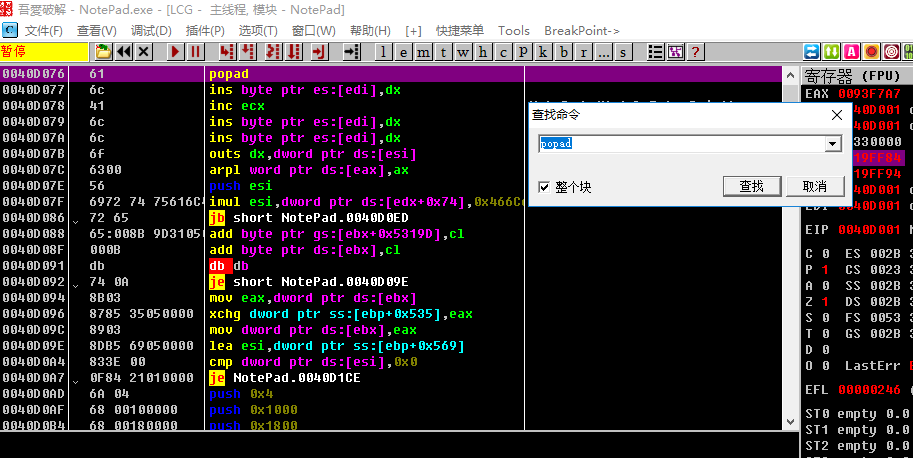
In this example, when the found popad does not meet our requirements, we can press Ctrl+L to search for the next match. After pressing it about three or four times, we find the location that jumps to the OEP.