Last Exception Method
The principle of the Last Exception method is that during the self-decompression or self-decryption process, a program may trigger countless exceptions. If you can locate the position of the last exception, it is likely very close to the point where automatic unpacking completes. Nowadays, the Last Exception unpacking method can utilize OllyDbg's exception counter plugin to first record the number of exceptions, then reload the program and automatically stop at the last exception.
Key Points
- Click
Options -> Debugging Options -> Exceptionsand uncheck all the checkboxes. PressCtrl+F2to reload the program. - The program starts with a jump. Here we press
Shift+F9until the program runs, and record the number of timesShift+F9was pressed from the start until the program runs:mtimes. - Press
Ctrl+F2to reload the program, then pressShift+F9(this time press itm-1times). - In the bottom-right corner of OD, we can see an "
SE Handler". At this point, pressCtrl+Gand enter the address before theSE Handler. - Press F2 to set a breakpoint, then press
Shift+F9to reach the breakpoint and single-step with F8.
Example
The sample program can be downloaded here: 5_last_exception.zip
Load the program in OD. In the menu Options -> Debugging Settings -> Exceptions tab, uncheck all "Ignore exceptions" options, then reload the program.
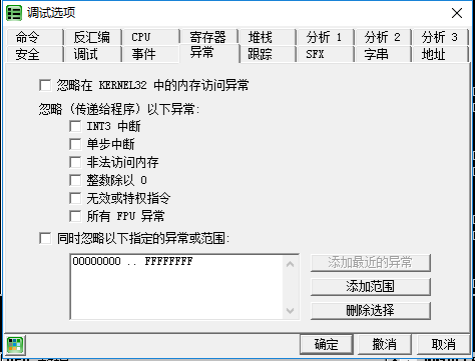
We press Shift+F9 and record how many times we pressed it before the program runs normally. What we need is the count for the second-to-last press. In this example:
Shift+F9once: arrives at position0040CCD2Shift+F9twice: program runs normally
So we reload the program and only press Shift+F9 once (2-1=1) to arrive at position 0040CCD2. Observe the stack window — there is an SE Handler: 0040CCD7.
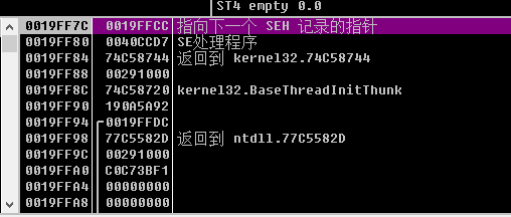
In the CPU window (assembly instructions), press Ctrl+G, enter 0040CCD7, and then press F2 at this location. That is, set a breakpoint at 0040CCD7, then press Shift+F9 to run and trigger the breakpoint.
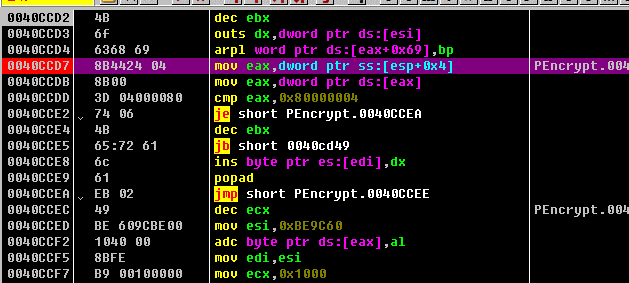
After the breakpoint is triggered, we begin single-step tracing. Below are various loops and jumps — we use F4 to skip over the loops. Finally we arrive at the following location:
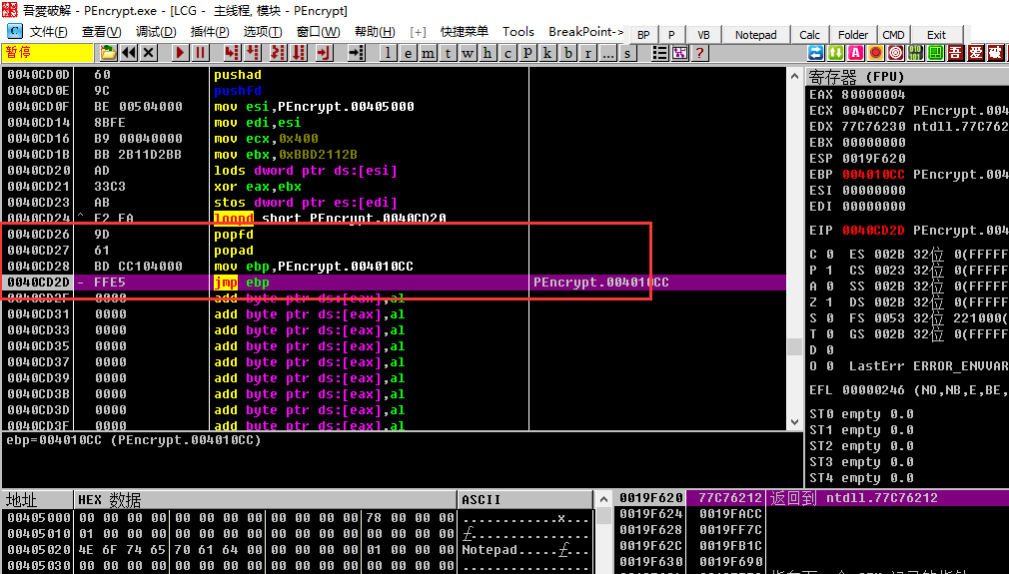
Clearly, the final mov ebp, 0041010CC; jmp ebp is jumping to the OEP. We jump over and arrive at the following, as shown below:
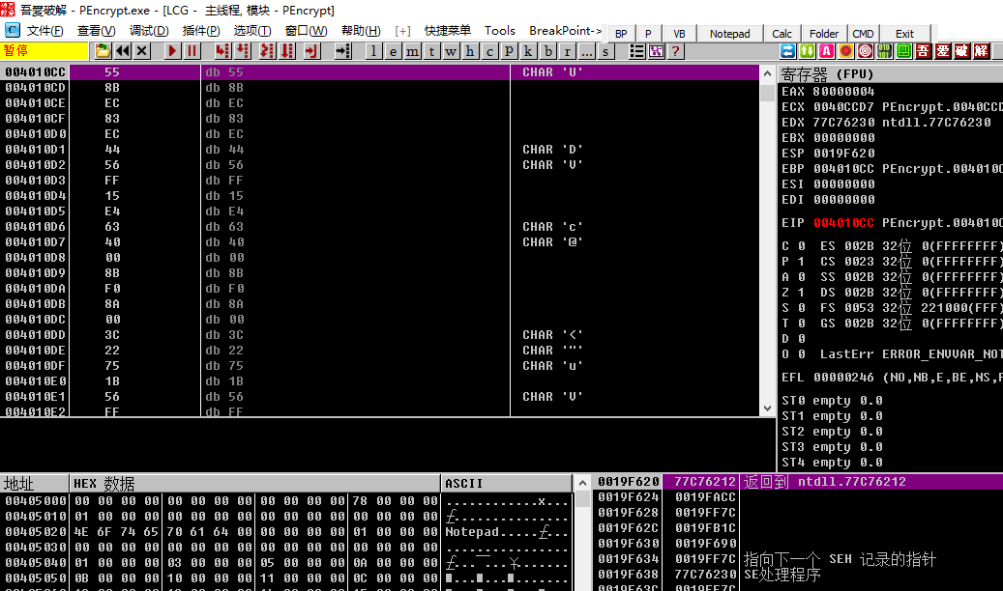
Clearly, we have fortunately arrived at the OEP.