Manually Finding IAT and Rebuilding with ImportREC
The sample program can be downloaded from this link: manually_fix_iat.zip
The ImportREC unpacking we commonly use relies on the software's built-in IAT auto search feature. But what if we need to manually find the IAT address and dump it out — how do we do that?
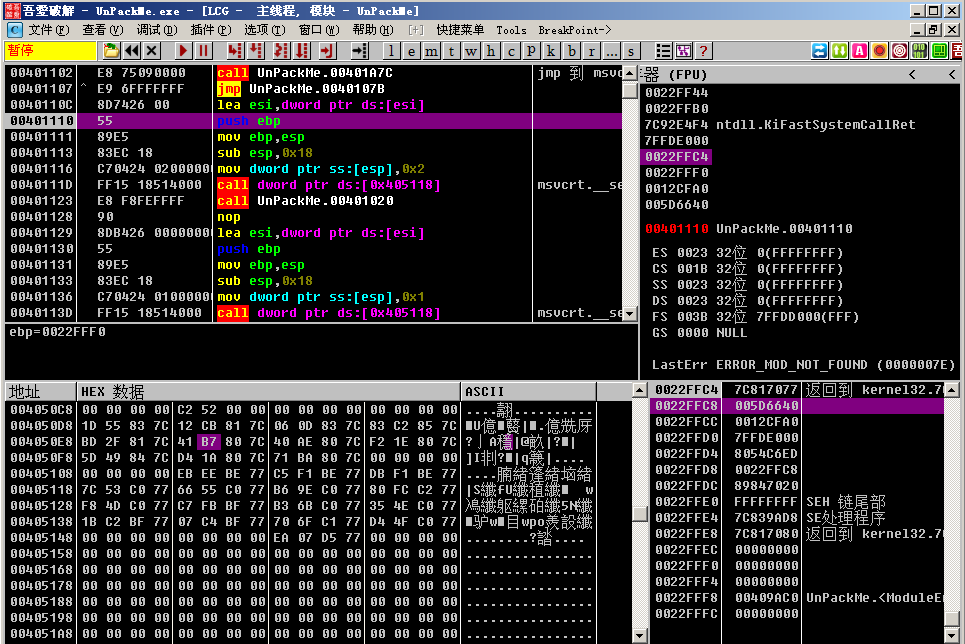
First, using the ESP Law, we can quickly jump to OEP: 00401110.
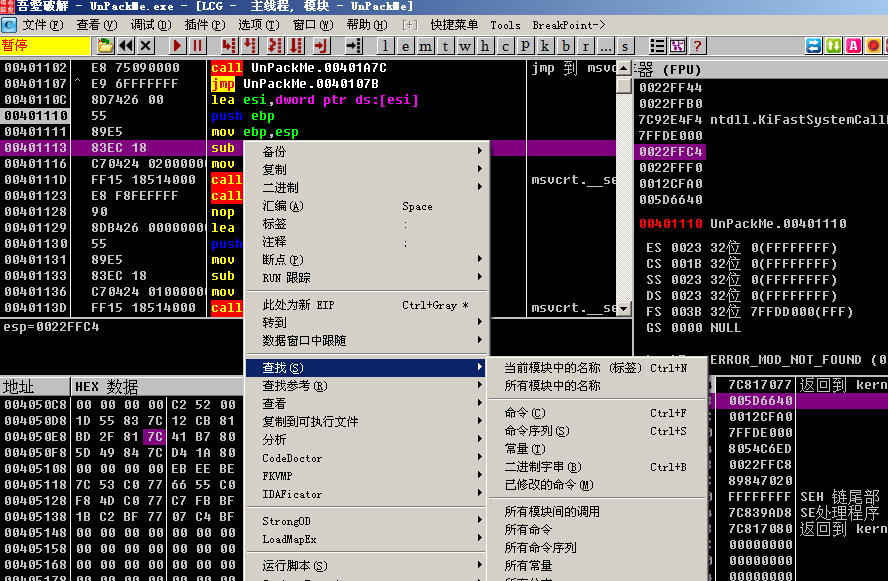
We right-click and select Search For -> All Intermodular Calls.
A list of called functions is displayed. We double-click on one of the functions (note that here we should double-click on a program function rather than a system function).
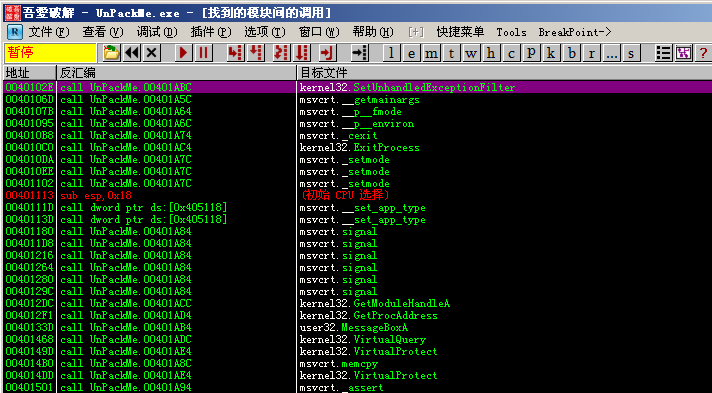
We arrive at the function call site.
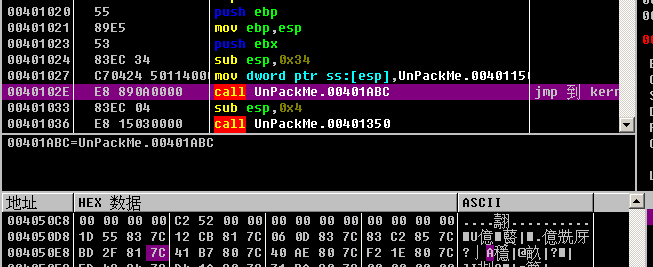
Right-click and select Follow, entering the function.
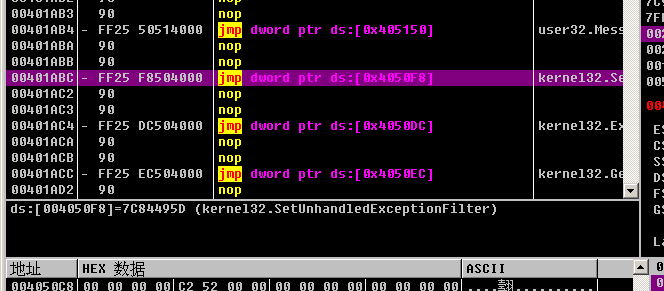
Then right-click and select Follow in Data Window -> Memory Address.
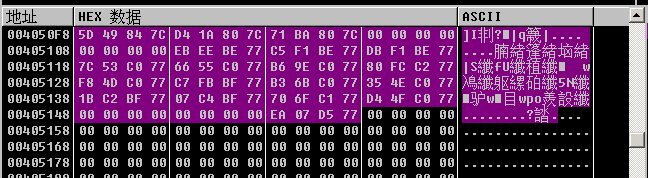
Since the display here is in hexadecimal values and not convenient to view, we can right-click in the data window and select Long -> Address to display function names.
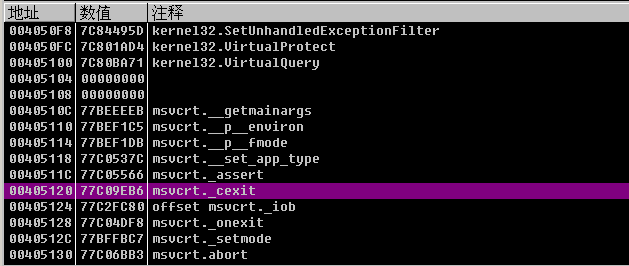
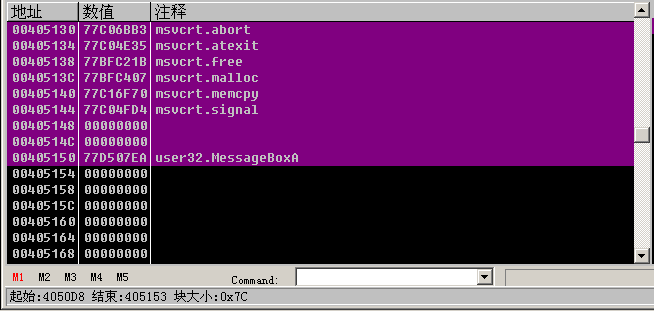
Note that we need to scroll up to the beginning of the IAT table. We can see that the first function address is kernel.AddAtomA at 004050D8. We scroll down to find the last function, which is user32.MessageBoxA, and calculate the total size of the IAT table. At the bottom of OD it shows Block Size: 0x7C, so our entire IAT block size is 0x7C.
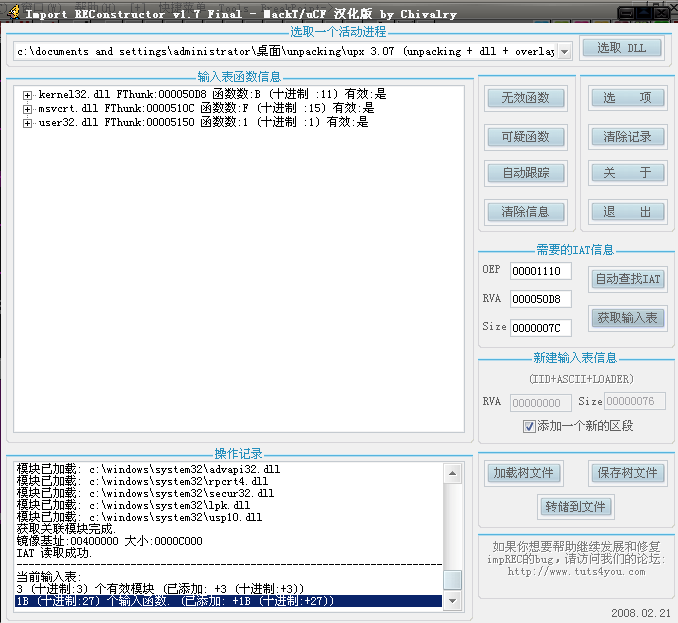
Open ImportREC, select the program we are currently debugging, then enter OEP: 1110, RVA: 50D8, SIZE: 7C respectively, and click Get Imports.
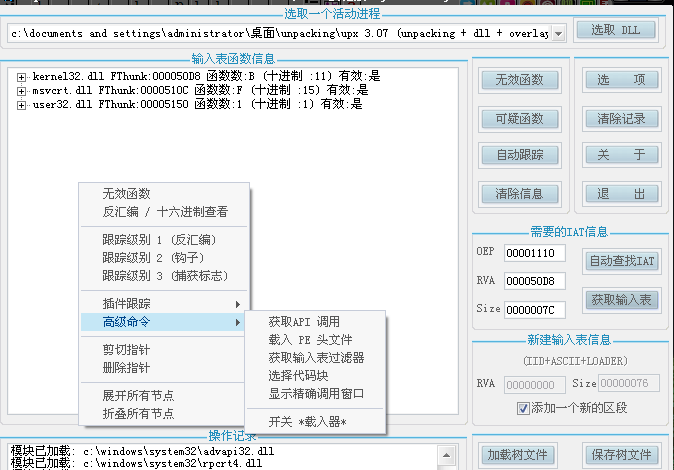
Here, right-click in the import table window and select Advanced Commands -> Select Code Section.
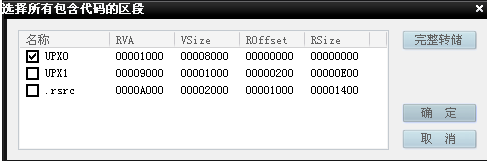
A window will pop up. Select "Full Dump" and save it as a dump.exe file.
After the dump is complete, select Fix Dump, and choose to fix the dump.exe we just dumped. This produces a dump\_.exe. At this point, the entire unpacking process is complete.